← All toolsNew
Instagram Content Planner
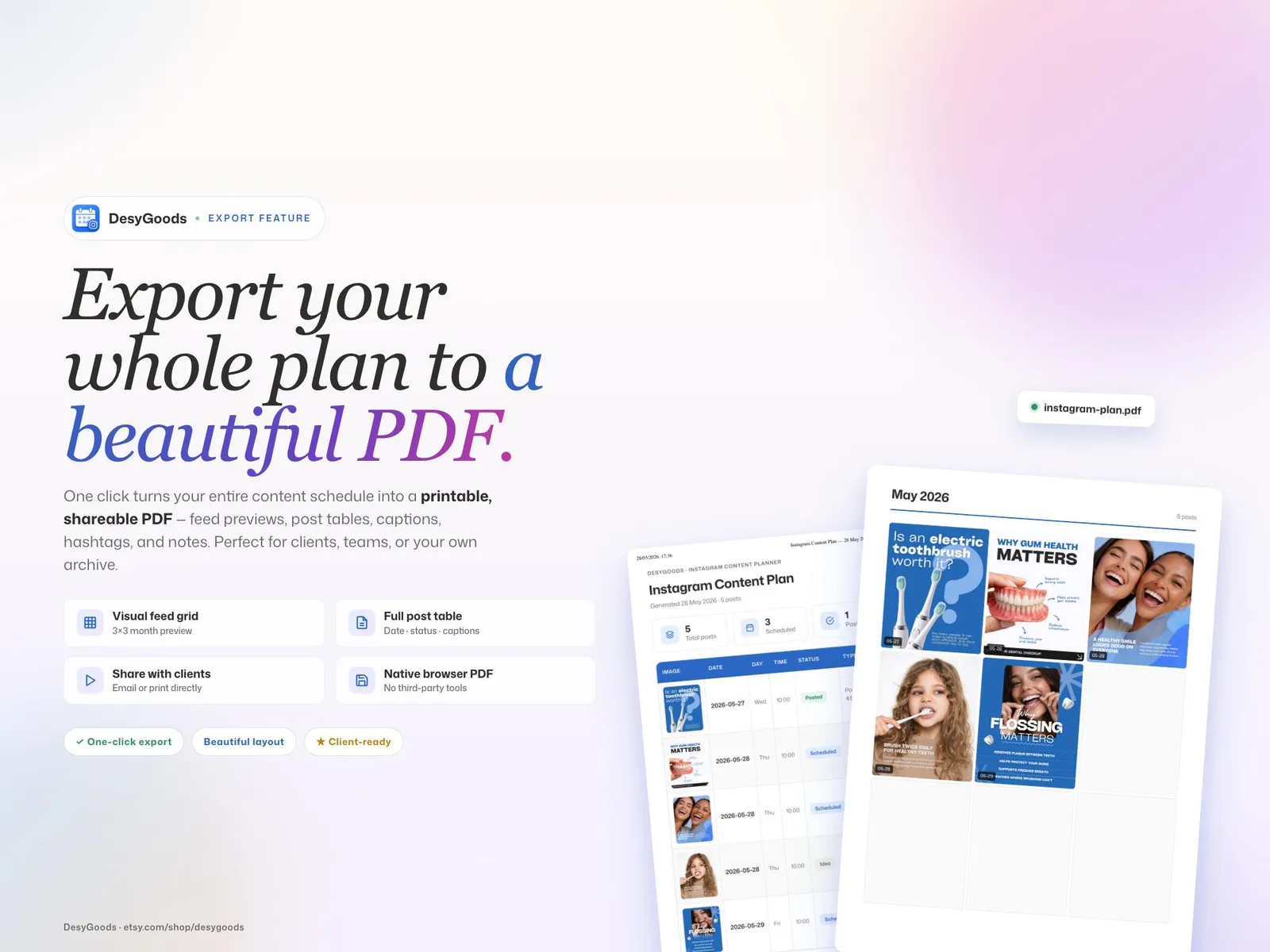
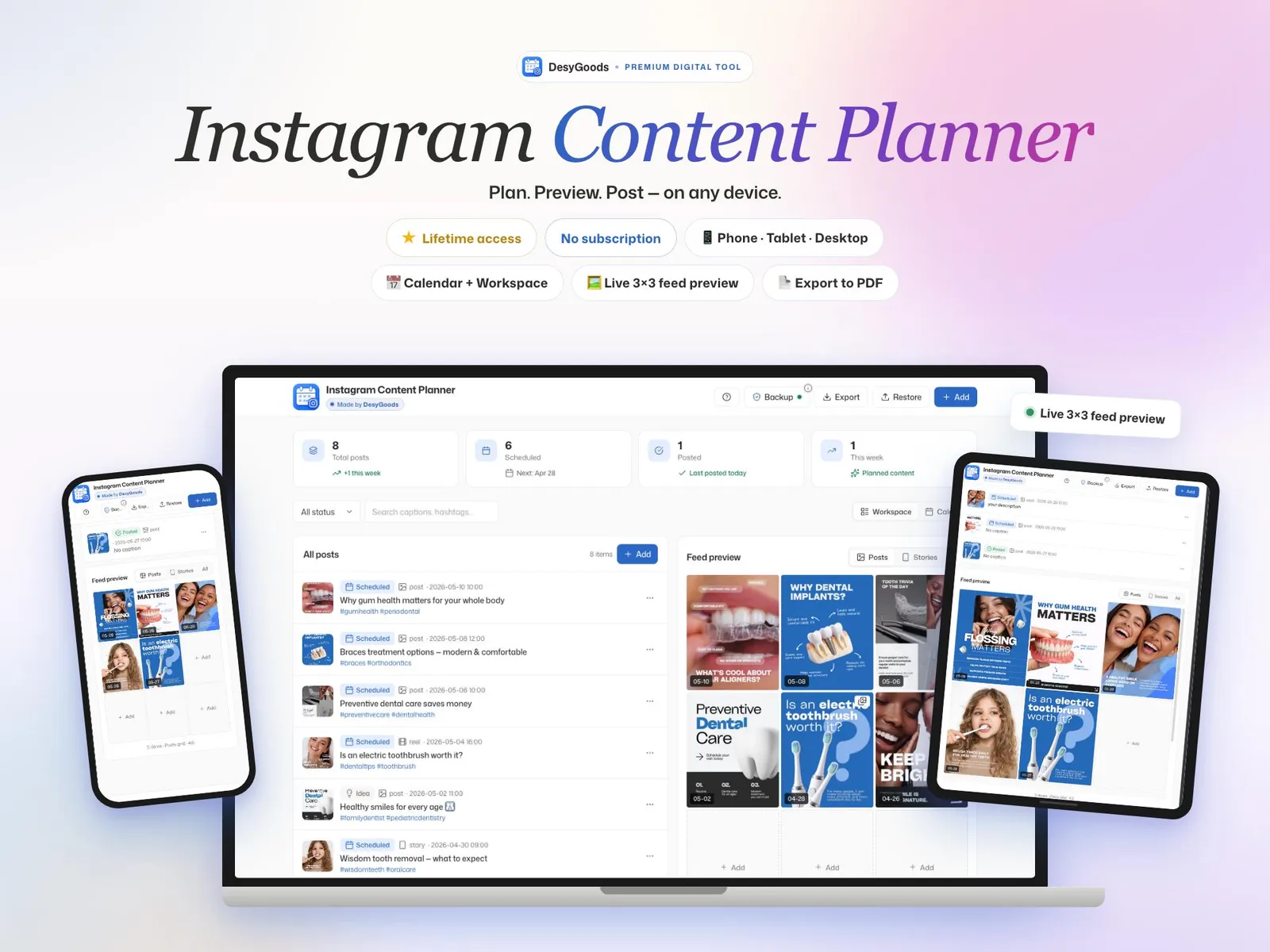
Plan the grid, see the 3×3 before you post it
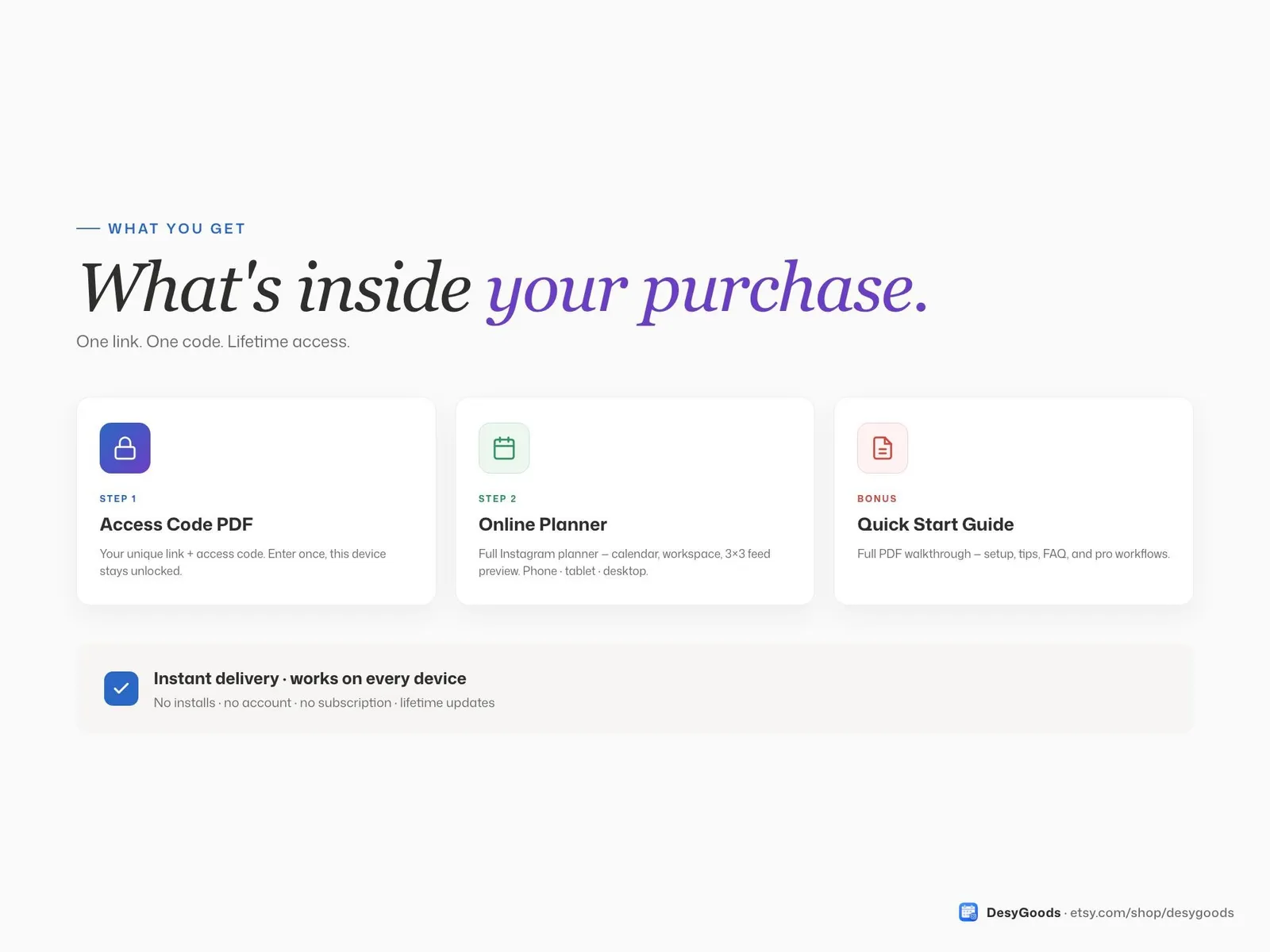
- A private link to your planner and a one-page PDF with your access code
- A live 3×3 feed preview of the grid before you post it
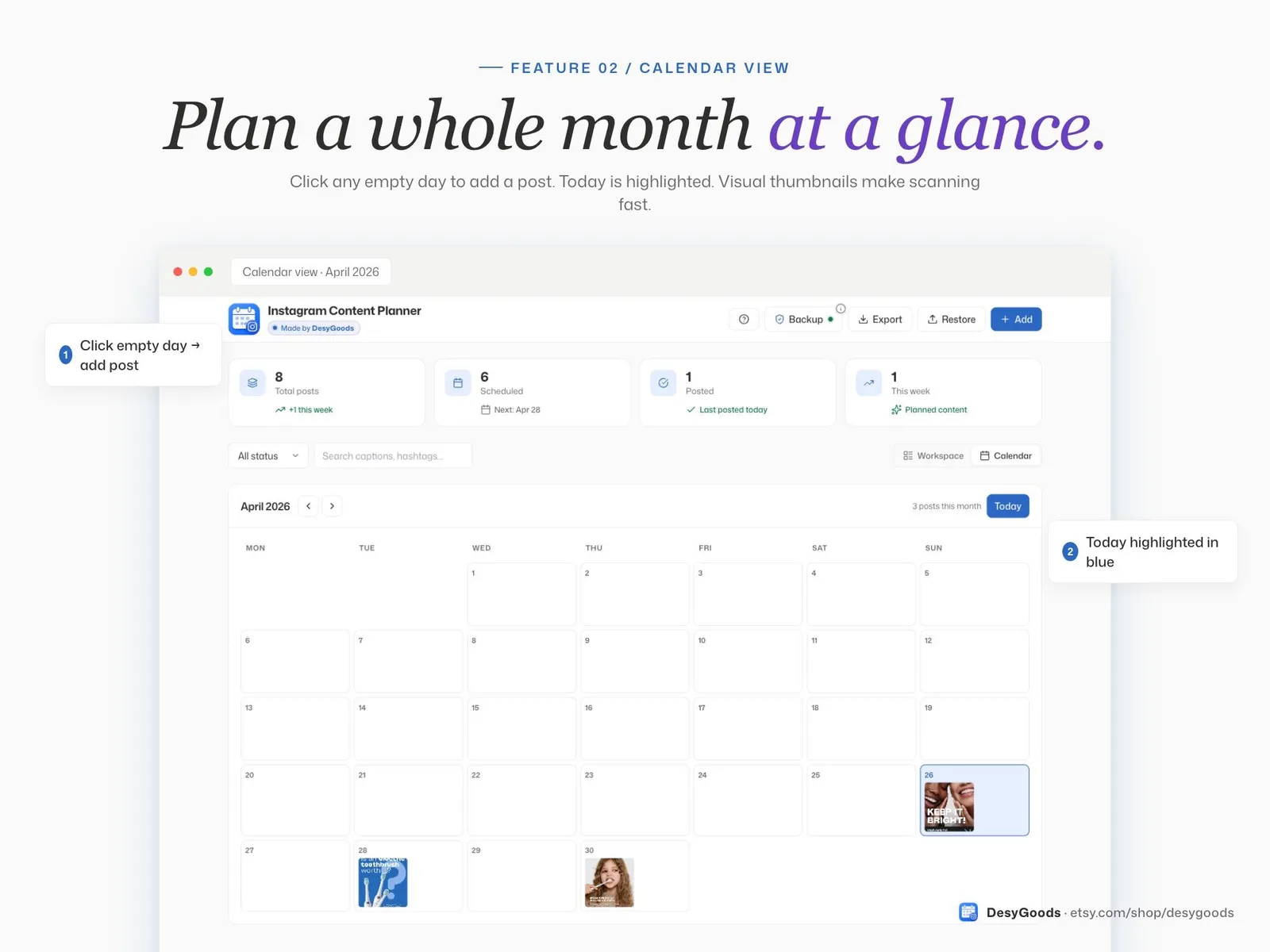
- A calendar you plan by dragging posts around
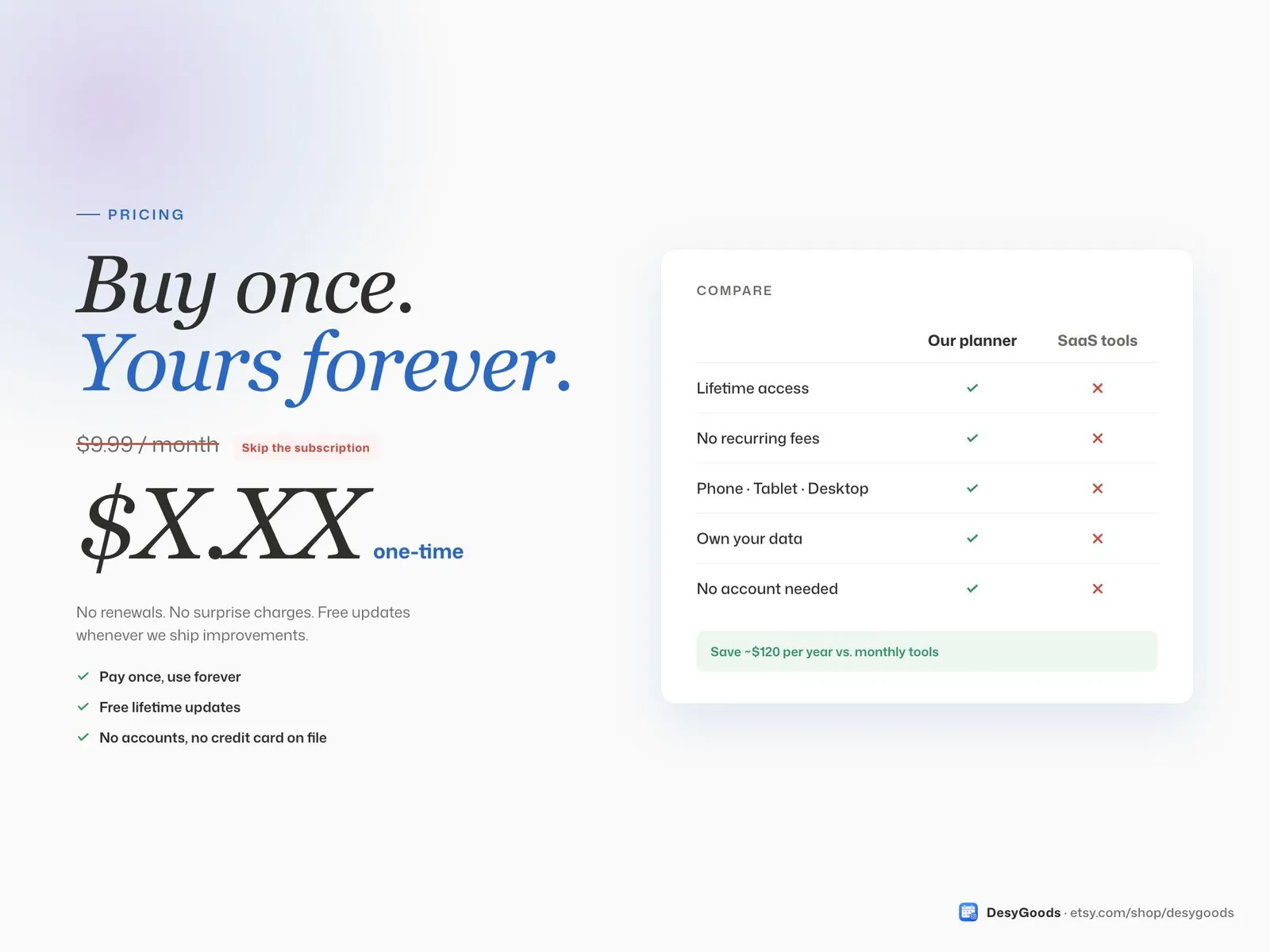
$7once — no subscription
Instant download, card or PayPal. Faulty or not as described? Refunded.
Buy it on Etsy instead — same shop, same files, sold there as DesyGoods
4.8(51 reviews)505 orders on Etsy since 2025
- Works offline
- Every device
- No monthly fee
What it does
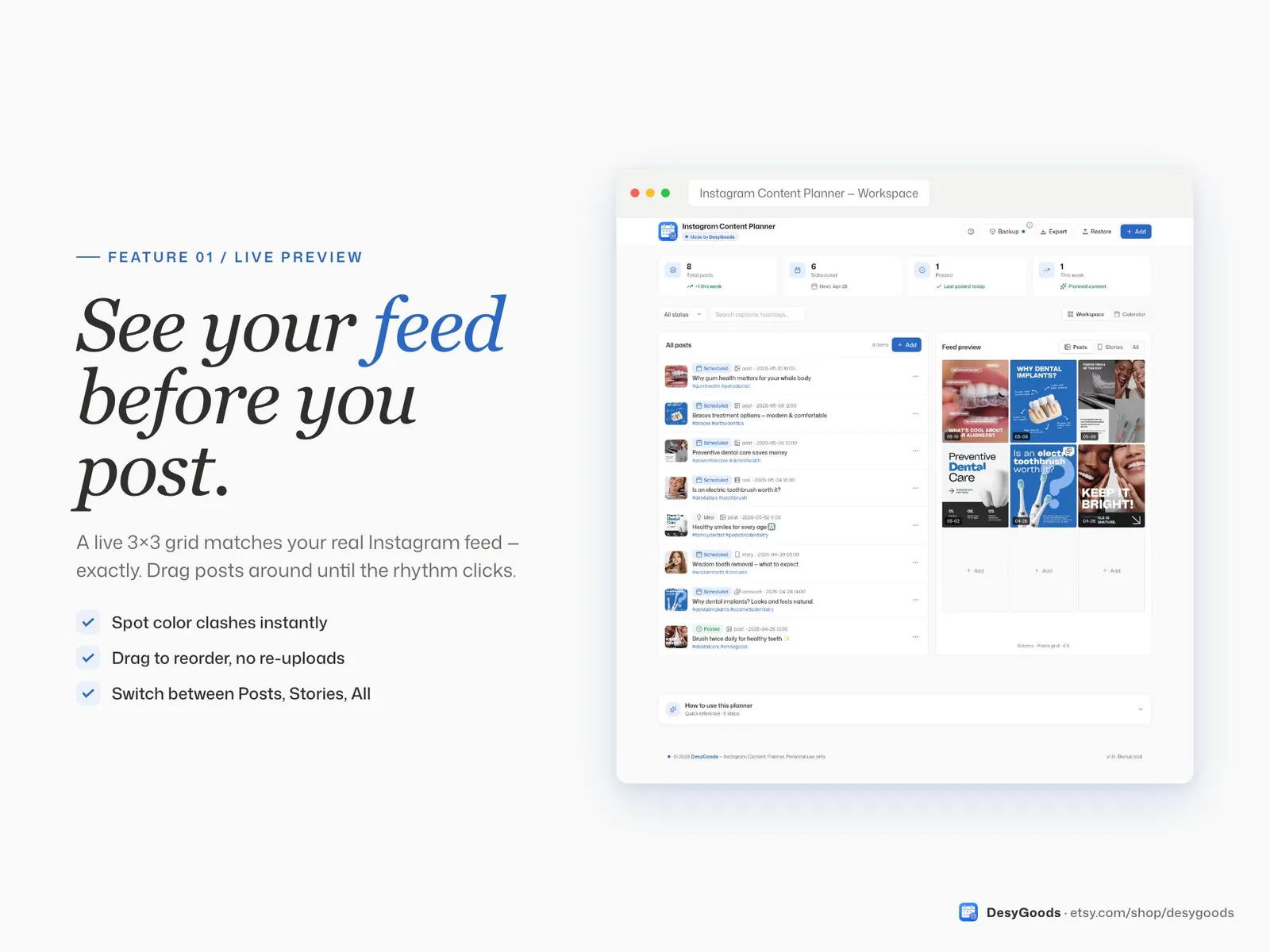
A planner for the feed itself. Drop your posts into a calendar, drag them around, and watch the live 3×3 preview show what your profile will actually look like — so the grid is a decision rather than an accident. Captions and hashtags live with the post they belong to, and everything is there on the phone, the tablet and the laptop. One payment, lifetime access, nothing to install.
What you get
- A private link to your planner and a one-page PDF with your access code
- A live 3×3 feed preview of the grid before you post it
- A calendar you plan by dragging posts around
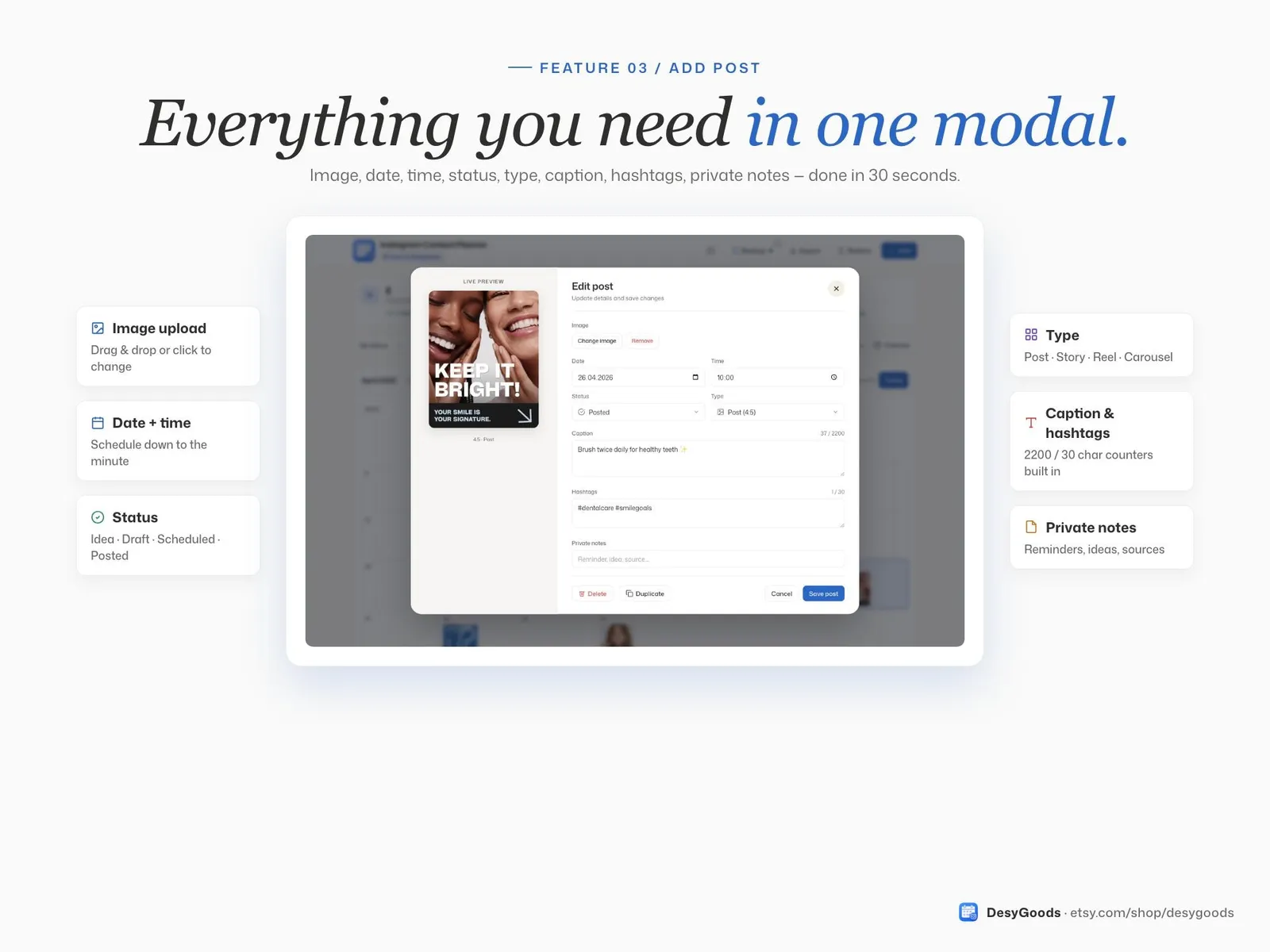
- Captions and hashtags saved with each post
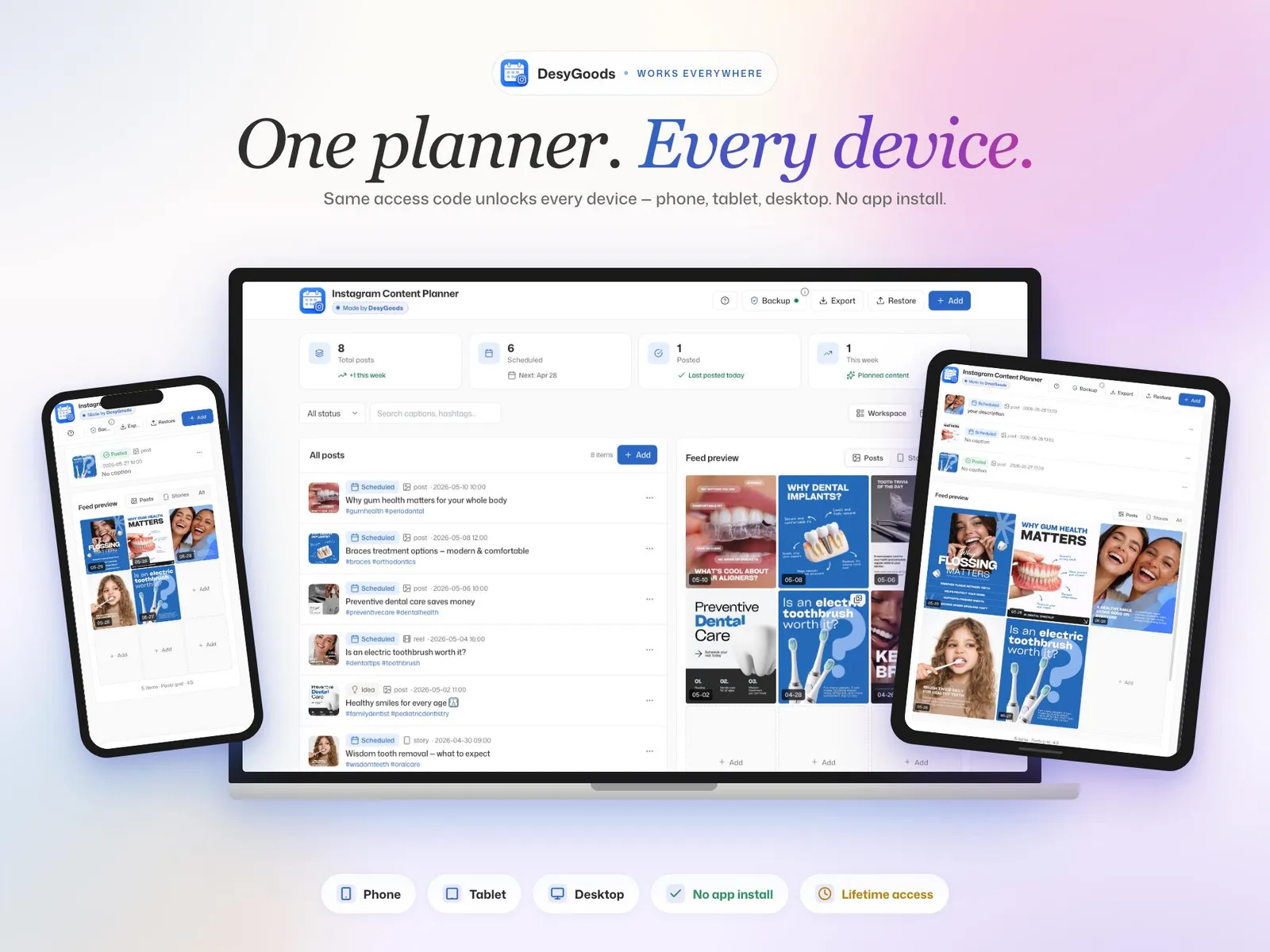
- Phone, tablet and desktop, all in step
- Lifetime access — no subscription
Where it runs
- iPhone & Android
- iPad & Mac
- Windows
- Works offline
The details
Everything you get
- A private link to your planner and a one-page PDF with your access code
- A live 3×3 feed preview of the grid before you post it
- A calendar you plan by dragging posts around
- Captions and hashtags saved with each post
- Phone, tablet and desktop, all in step
- Lifetime access — no subscription
How you set it up
- Buy it — $7 once, no subscription.
- Open the PDF that arrives and click your private link.
- Type the access code with your email and a password, then answer three short questions.
- Add it to your home screen. It opens like any other app, on every device you sign in on.
Where it runs
- iPhone & Android
- iPad & Mac
- Windows
- Works offline
Nothing to install and no app store. It keeps working with the internet off once it has loaded, and your account carries the same data between your phone and your laptop.
Instant download, card or PayPal. Faulty or not as described? Refunded.
Buy it on Etsy instead — same shop, same files, sold there as DesyGoods
- Who you pay
- Paddle.com Market Ltd — the seller of record on the invoice, not this studio. Terms
- What arrives
- A link by email the moment the payment clears. Nothing ships, nothing renews, and there is no account to make.
- If it is wrong
- A file that is faulty or not what the page described is refunded. Refund policy
- Who answers
- One designer, at hello@cherryfeed.com. The same sets have sold on Etsy as DesyGoods since 2025.
Licence in one line
One licence covers one business — yours. Use it for as long as you like on as many of your own devices as you like. Do not resell it or pass the file on. Full licence.
A look inside
Every screen
7 of them — swipe, scroll or use the arrows
Free to read
Before you buy anything
- 3 min read
What to put in a teacher planner that you will still use in March
Most teacher planners are abandoned by half term. The pages that survive a full year, the ones to skip, and how to set the whole thing up in an afternoon before term starts. - 3 min read
How to plan a month of posts in one sitting
Posting daily fails because every post is a fresh decision. Here is the batching method that turns thirty decisions into one afternoon, and the four-post rotation that fills the calendar. - 3 min read
Product photos with a phone that do not look like phone photos
One window, one sheet of paper and the two settings people never touch. How to shoot a listing set at home, and the five shots every listing needs.
What buying it means
How it works
- 1
Buy it once
Instagram Content Planner is $7 once. No subscription, no commission, and new versions cost nothing.
- 2
Open your link
You get a private link and a one-page PDF with your access code. Setup is three questions, about three minutes.
- 3
Add to your home screen
It opens like any other app — iPhone, Android, iPad, Mac, Windows. Nothing to install, no app store.
Is this the right tool?
For a small business posting its own Instagram and losing an hour a week to deciding what goes up. The live 3×3 preview is the reason to have it: a feed is judged as a block of nine, not as one post, and this is where you see two similar photos landing next to each other before anyone else does. It does not publish for you and never asks for your Instagram login.
Your first week with it
Plan two weeks, not two months — the first plan is always too ambitious and the second is the honest one. Keep an idea bank underneath the calendar so a blank day is a choice rather than a scramble. People who stay with it usually settle into one planning session a week, which is the point at which posting stops being a daily decision.
Questions about Instagram Content Planner
Does it show what my grid will look like?
That is what it is for. Drop the posts in and the live 3×3 preview shows the feed as a visitor sees it, so you catch two similar photos landing side by side before they are published.
Does it post to Instagram for me?
No. It plans and previews; the posting stays in your hands. Nothing asks for your Instagram password, which is also why nothing breaks when Instagram changes its API.
Can I plan a month ahead?
The calendar runs as far ahead as you fill it. Most people plan two to four weeks and keep a bank of ideas below it for the days when nothing comes.
Does it work for reels as well as posts?
Anything that lands on the grid can be planned in it, reels included — the preview shows the cover, which is what the grid actually displays.
Is it worth it if I already use a notes app?
The difference is the preview. A list tells you what you will post; the grid tells you what it will look like next to the eight posts around it, which is where most feeds fall apart.
Is there a monthly fee?
No. You pay once and it is yours. No subscription, no commission on your bookings, and new versions cost nothing.
Do I have to install anything?
No. It opens in the browser you already use, and you can add it to your home screen so it opens like any other app — iPhone, Android, iPad, Mac or Windows.
Reviews
What buyers say
Left by buyers of the shop's templates on Etsy. This tool is new here, so it has no reviews of its own yet.
“Wow! These templates are amazing. They helped me improve my clients' Instagram visuals so quickly, and I'm very pleasantly surprised! Thank you”
“very nice, i highly recommend it!”
“TOP! Conceptually strong. Visually unique. Thank you!”
Read every review on EtsyCherry Feed has sold on Etsy as DesyGoods since 2025.
$7once
Get it