← All toolsNew
Savings Tracker
Small steps today, big freedom tomorrow
- Six tabs: Savings Tracker, Monthly Log, Sinking Funds, Debt Payoff, No Spend Challenge, How to Use
- Up to twelve goals with targets, dates and monthly amounts worked out for you
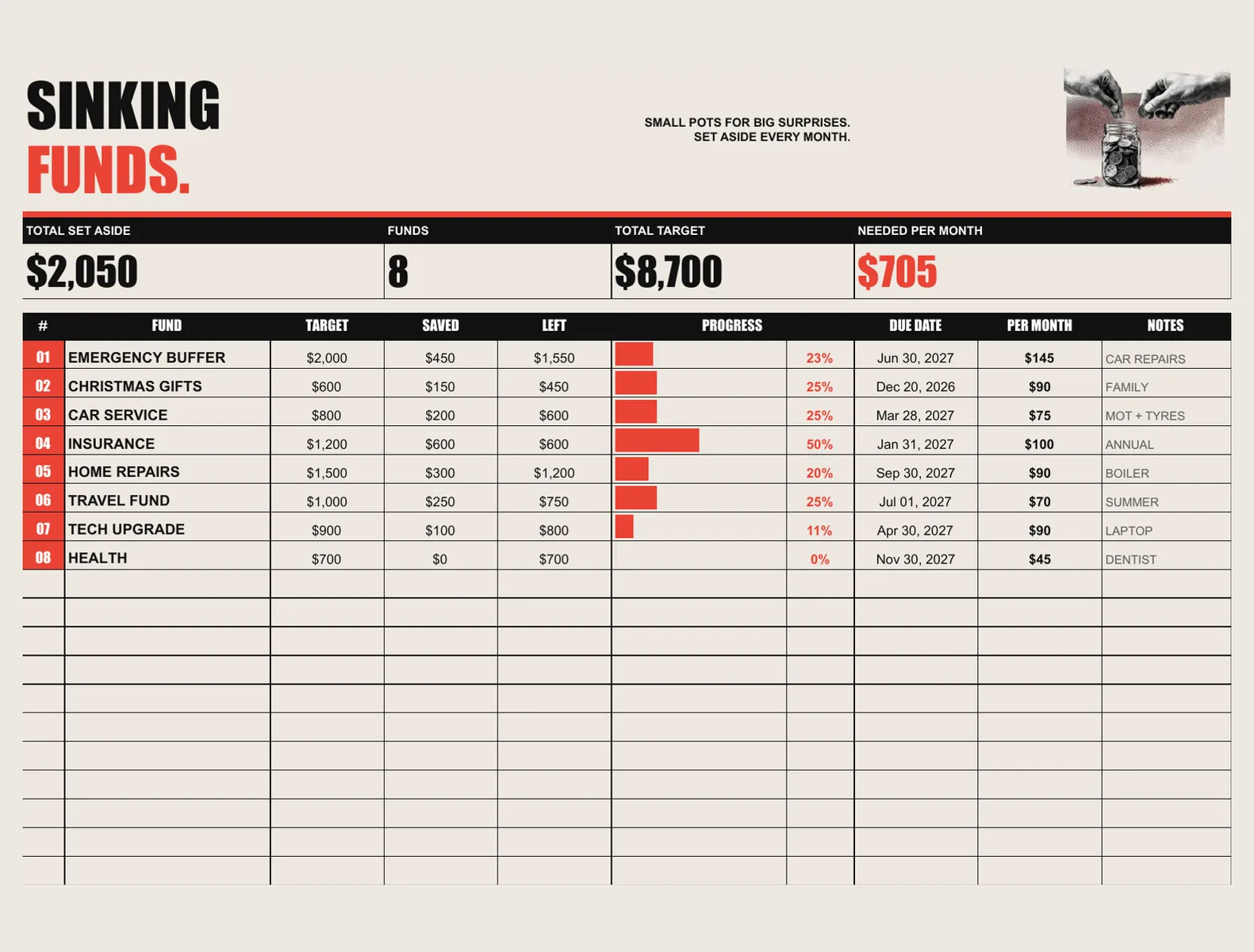
- Sinking funds with a per-month figure for each pot
$14once — no subscription
Instant download, card or PayPal. Faulty or not as described? Refunded.
Buy it on Etsy instead — same shop, same files, sold there as DesyGoods
4.8(51 reviews)505 orders on Etsy since 2025
- Works offline
- Every device
- No monthly fee
What it does
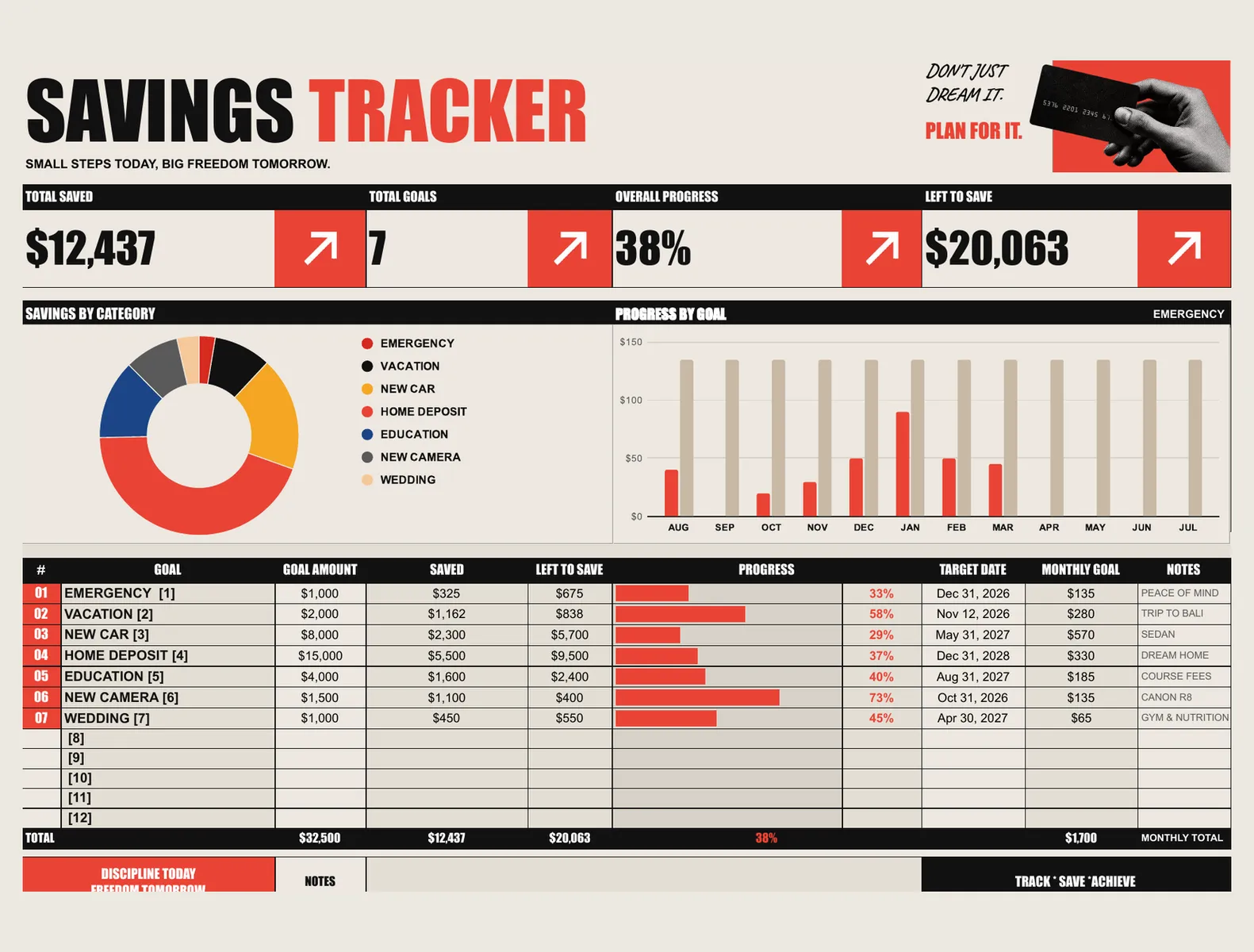
A savings workbook for real life, not a budgeting course. Set up to twelve goals with a target and a date, and it works out what you have to put away every month, how far along each one is, and what is left to save — with the whole picture on one dashboard. Sinking funds keep the surprises from becoming emergencies: Christmas, the car service, the insurance renewal, each with its own pot and monthly figure. There is a debt payoff sheet, a no-spend challenge and a monthly log, and every total calculates itself.
What you get
- Six tabs: Savings Tracker, Monthly Log, Sinking Funds, Debt Payoff, No Spend Challenge, How to Use
- Up to twelve goals with targets, dates and monthly amounts worked out for you
- Sinking funds with a per-month figure for each pot
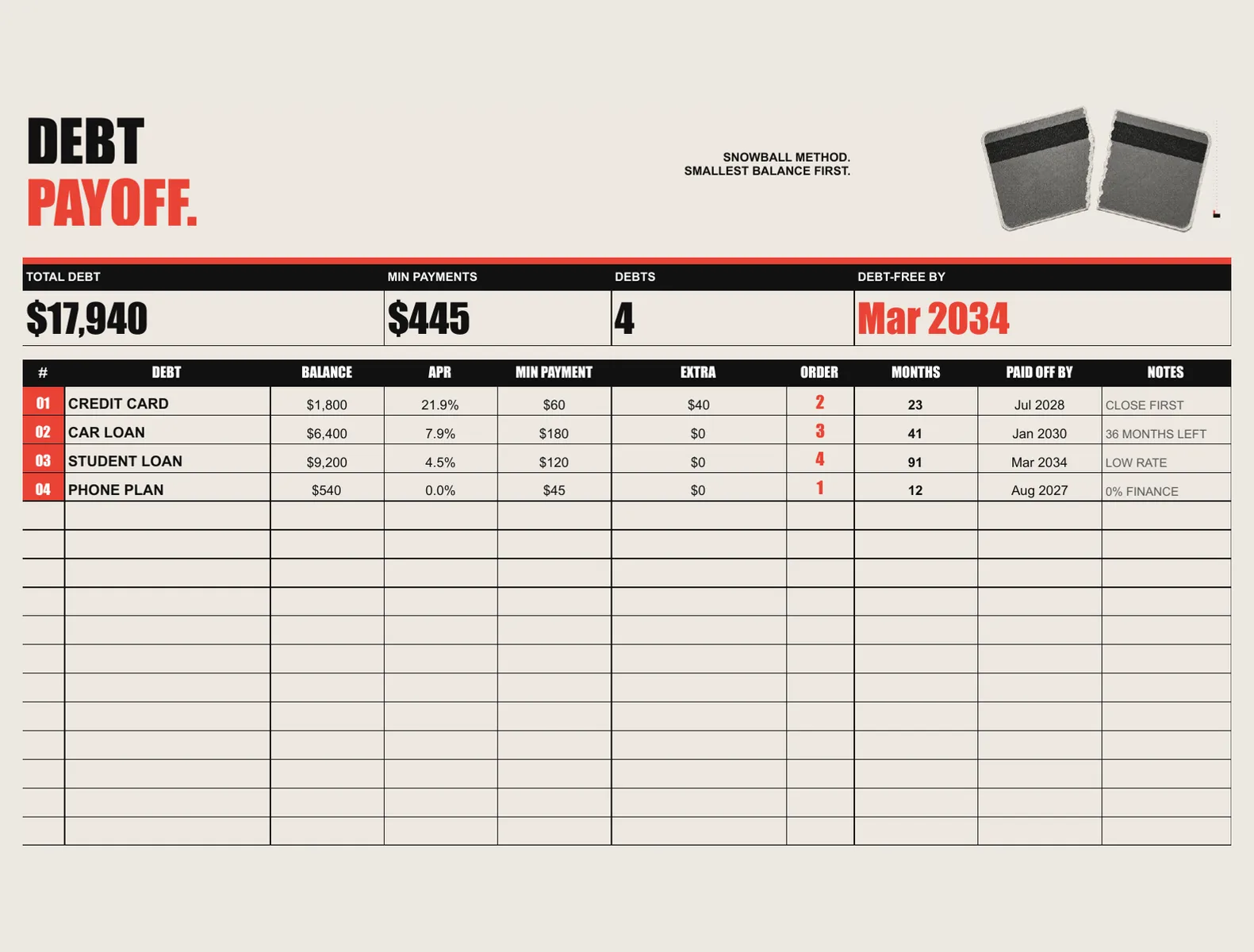
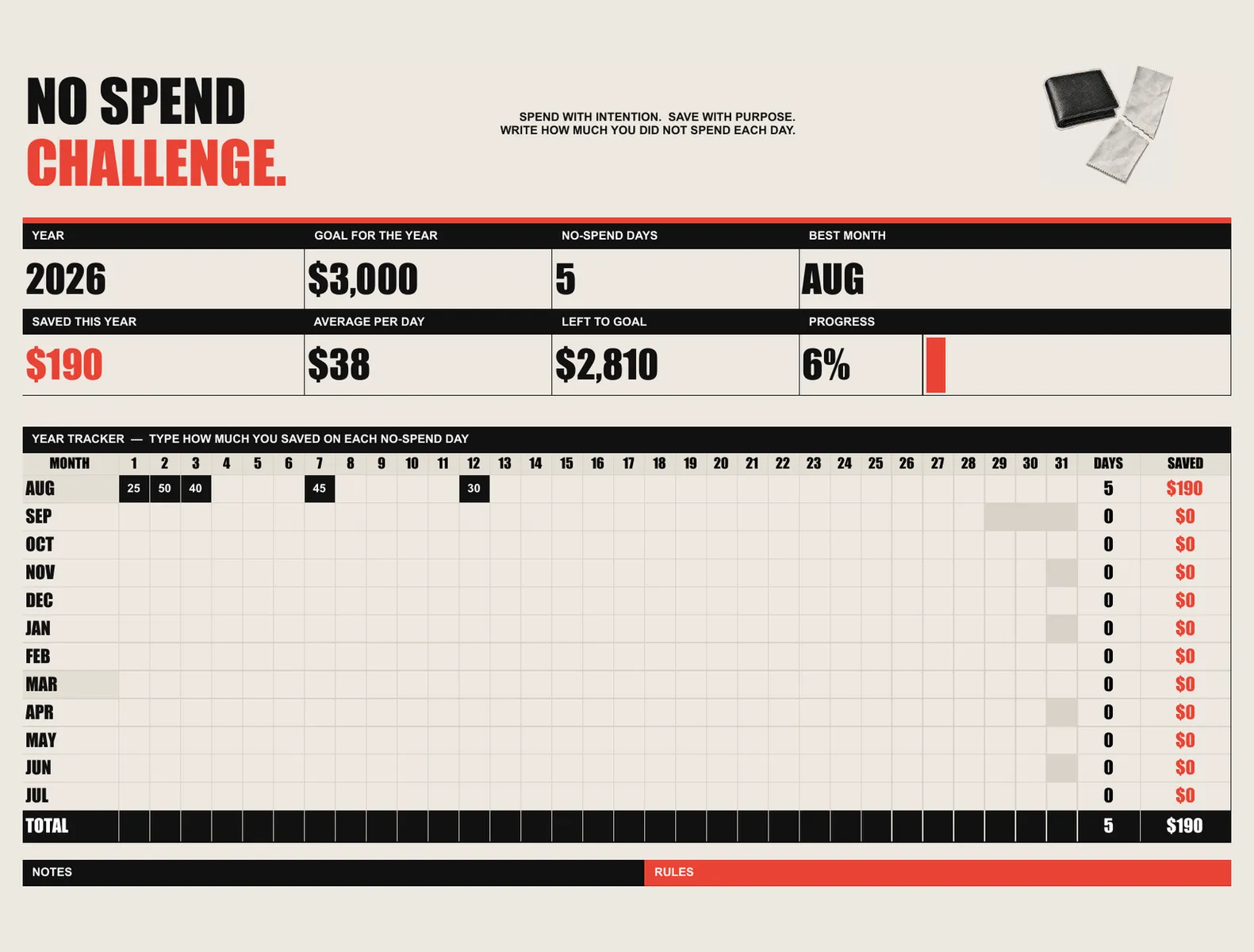
- A debt payoff sheet and a no-spend challenge
- Charts that redraw themselves as you type
- Free updates to the workbook
Where it runs
- Excel (.xlsx)
- Google Sheets
- Apple Numbers
The details
Everything you get
- Six tabs: Savings Tracker, Monthly Log, Sinking Funds, Debt Payoff, No Spend Challenge, How to Use
- Up to twelve goals with targets, dates and monthly amounts worked out for you
- Sinking funds with a per-month figure for each pot
- A debt payoff sheet and a no-spend challenge
- Charts that redraw themselves as you type
- Free updates to the workbook
How you set it up
- Buy it — $14 once, no subscription.
- Open the PDF that arrives and click your private link.
- Type the access code with your email and a password, then answer three short questions.
- Add it to your home screen. It opens like any other app, on every device you sign in on.
Where it runs
- Excel (.xlsx)
- Google Sheets
- Apple Numbers
Nothing to install and no app store. It keeps working with the internet off once it has loaded, and your account carries the same data between your phone and your laptop.
Instant download, card or PayPal. Faulty or not as described? Refunded.
Buy it on Etsy instead — same shop, same files, sold there as DesyGoods
- Who you pay
- Paddle.com Market Ltd — the seller of record on the invoice, not this studio. Terms
- What arrives
- A link by email the moment the payment clears. Nothing ships, nothing renews, and there is no account to make.
- If it is wrong
- A file that is faulty or not what the page described is refunded. Refund policy
- Who answers
- One designer, at hello@cherryfeed.com. The same sets have sold on Etsy as DesyGoods since 2025.
Licence in one line
One licence covers one business — yours. Use it for as long as you like on as many of your own devices as you like. Do not resell it or pass the file on. Full licence.
A look inside
Every screen
5 of them — swipe, scroll or use the arrows
Free to read
Before you buy anything
- 3 min read
How to price handmade products without working for nothing
Most handmade pricing forgets the hours. Here is the arithmetic that includes them, why doubling your materials cost is not a formula, and what to do when the honest price feels too high. - 2 min read
How to find every subscription you are paying for
The average card is carrying two or three forgotten renewals. How to find them in an afternoon, what to do about the annual ones that hide for eleven months, and how to keep the list true. - 2 min read
Sinking funds: the part of a budget most people are missing
Why the car service always arrives as an emergency, how to work out what to set aside each month, and the handful of funds worth starting with.
Written forInvoicing and money for freelancers →
What buying it means
How it works
- 1
Buy it once
Savings Tracker is $14 once. No subscription, no commission, and new versions cost nothing.
- 2
Open your link
You get a private link and a one-page PDF with your access code. Setup is three questions, about three minutes.
- 3
Add to your home screen
It opens like any other app — iPhone, Android, iPad, Mac, Windows. Nothing to install, no app store.
Is this the right tool?
For anyone saving towards several things at once — a deposit, a holiday, Christmas, the car service — plus the debt side in the same file. Sinking funds are the part most budgets miss: the annual bills that feel like emergencies because nothing was set aside. It is a Google Sheet, not an app, so it works in any currency and asks for no bank access at all.
Your first week with it
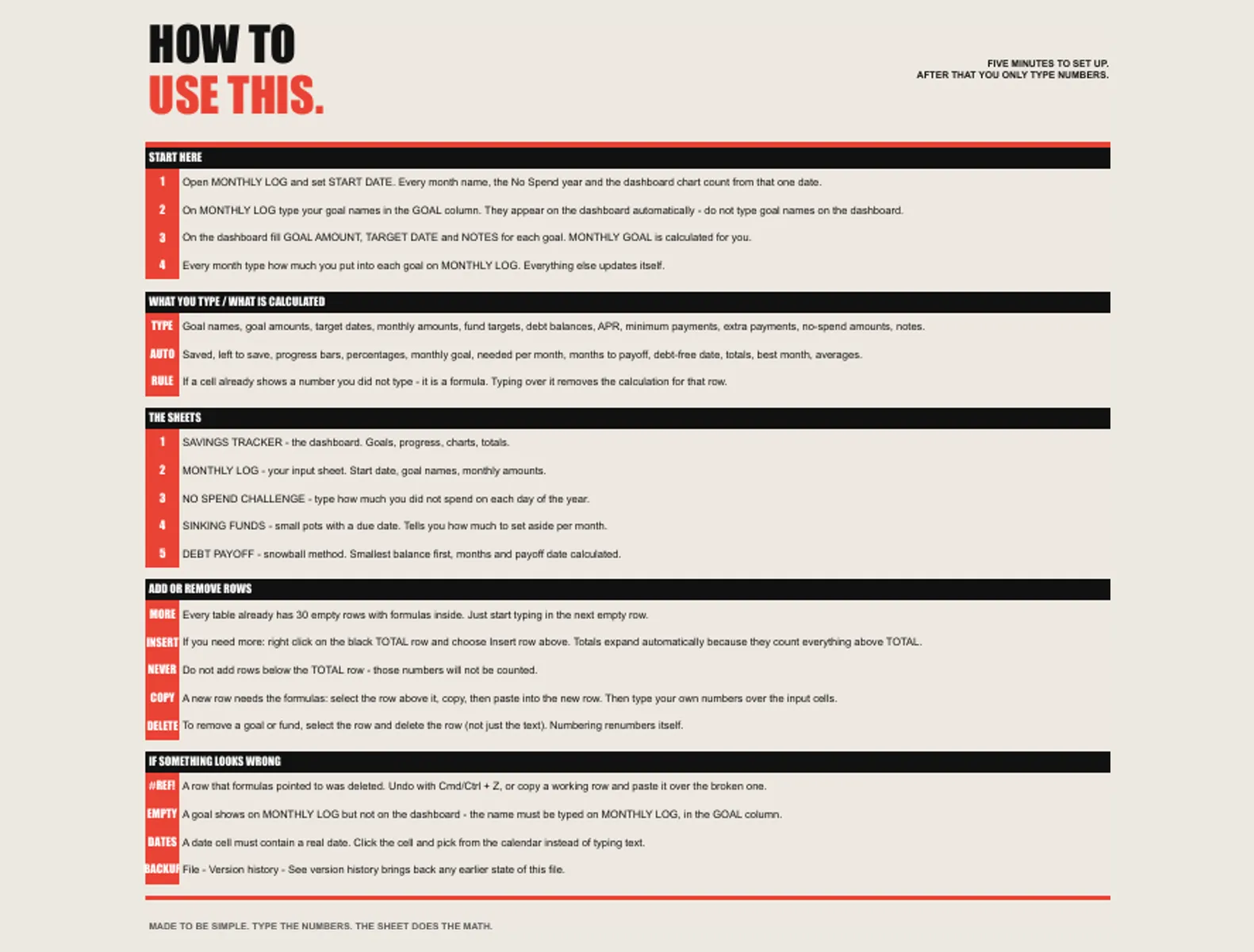
Set one target and one sinking fund in the first sitting; three goals started at once usually means none of them tracked by March. Update it on payday, in the same five minutes each month. The debt tab is worth filling in even if the balances are uncomfortable — seeing what one extra payment takes off the end date is what changes the behaviour.
Questions about Savings Tracker
What are sinking funds?
Money put aside monthly for things that arrive yearly — insurance, Christmas, the car service. The sheet keeps one pot per thing, so the annual bill is already paid for when it lands.
Does it do debt payoff as well as savings?
Both, in the same file. Balances, rates and payments go in, and the payoff order and dates come out, so you can see what an extra payment actually buys you in months.
Does it connect to my bank?
No. You type the figures, which keeps your banking details out of it entirely and keeps it working in any country and any currency.
Can I use it for several goals at once?
Yes — a deposit, a holiday and an emergency fund can run side by side, each with its own target and progress, rather than one balance you have to mentally divide.
Do I need to be good with spreadsheets?
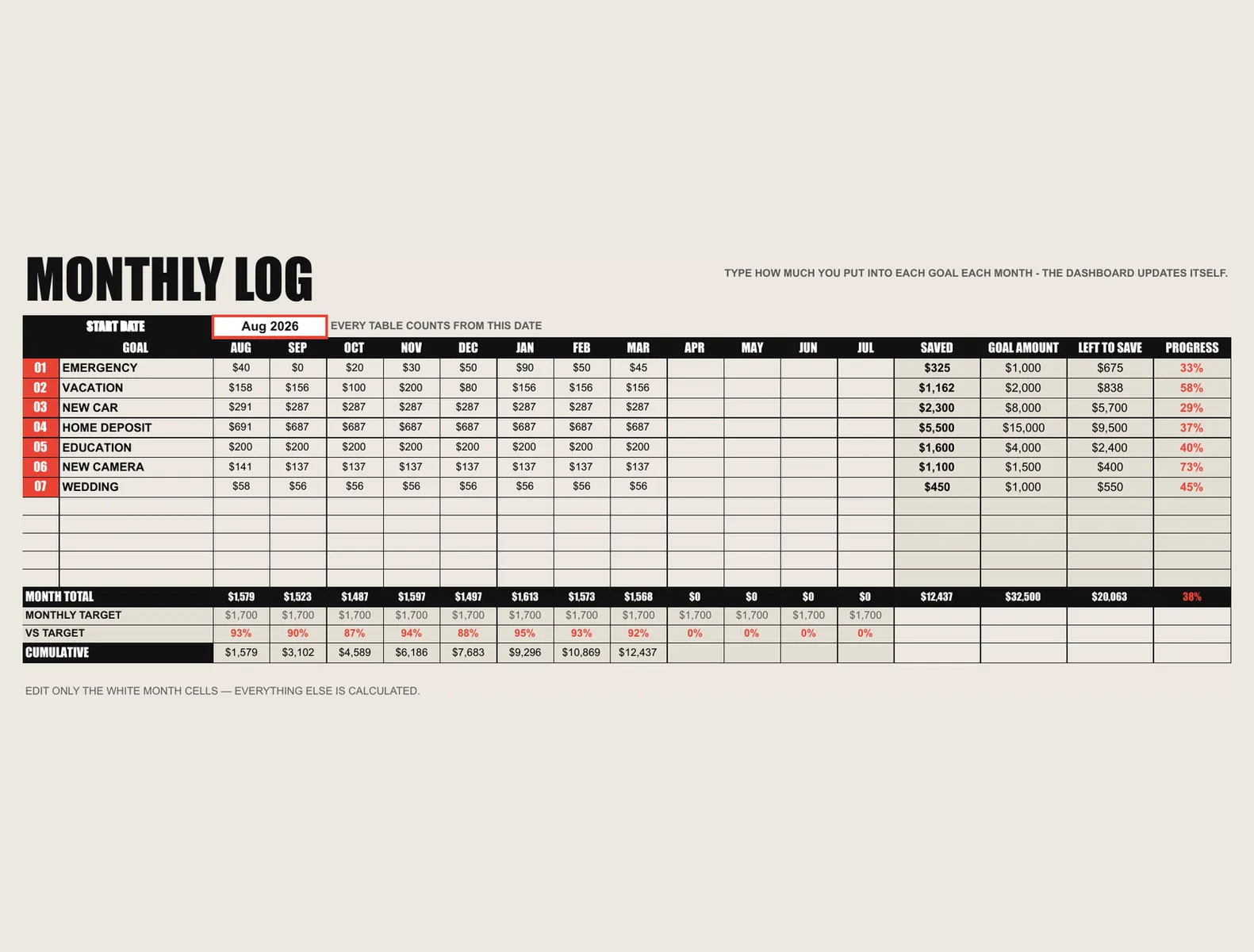
You type into the coloured cells; everything else calculates. Nothing to install, no add-ons and no Apps Script permissions to approve.
Is there a monthly fee?
No. You pay once and it is yours. No subscription, no commission on your bookings, and new versions cost nothing.
Do I have to install anything?
No. It opens in the browser you already use, and you can add it to your home screen so it opens like any other app — iPhone, Android, iPad, Mac or Windows.
Reviews
What buyers say
Left by buyers of the shop's templates on Etsy. This tool is new here, so it has no reviews of its own yet.
“Wow! These templates are amazing. They helped me improve my clients' Instagram visuals so quickly, and I'm very pleasantly surprised! Thank you”
“very nice, i highly recommend it!”
“TOP! Conceptually strong. Visually unique. Thank you!”
Read every review on EtsyCherry Feed has sold on Etsy as DesyGoods since 2025.
$14once
Get it