← All toolsNew
Invoice Generator & Time Tracker
Log the hours, send the invoice, get paid
- A private link to your workspace and a one-page PDF with your access code
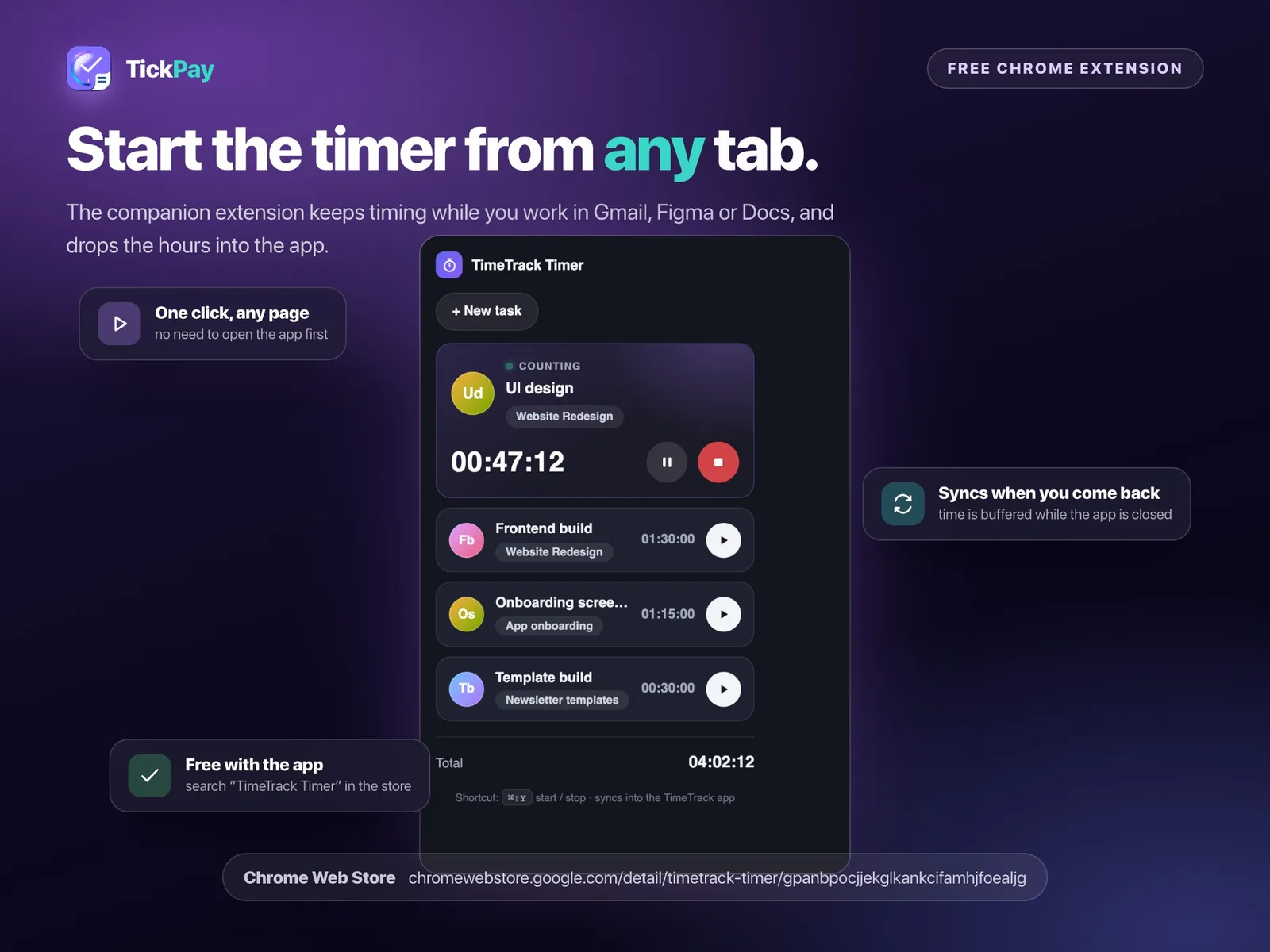
- Live timer per task, plus a free Chrome extension that times from any tab
- Clients and projects with their own rates and currencies
$39once — no subscription
Instant download, card or PayPal. Faulty or not as described? Refunded.
Buy it on Etsy instead — same shop, same files, sold there as DesyGoods
4.8(51 reviews)505 orders on Etsy since 2025
- Works offline
- Every device
- No monthly fee
What it does
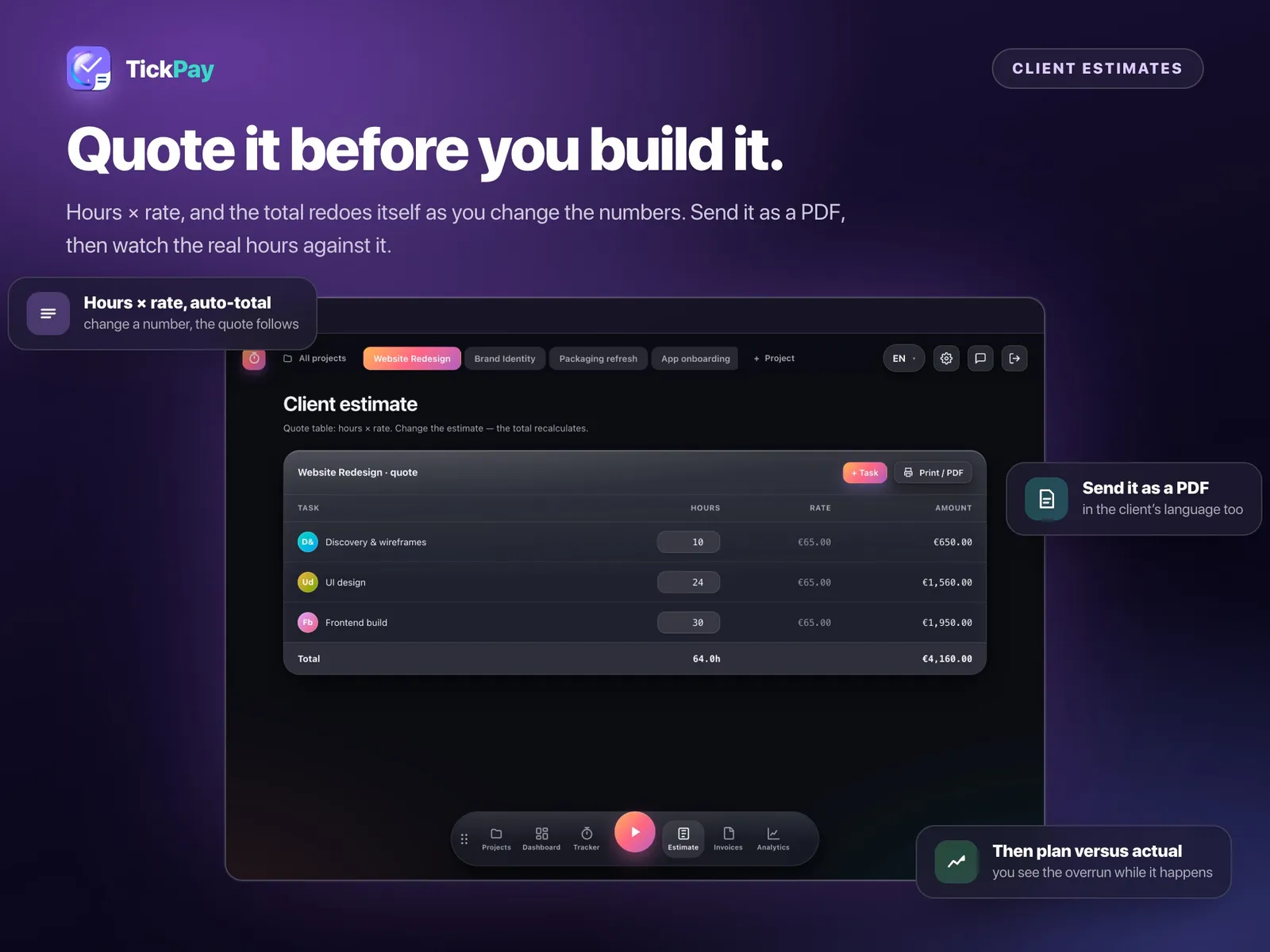
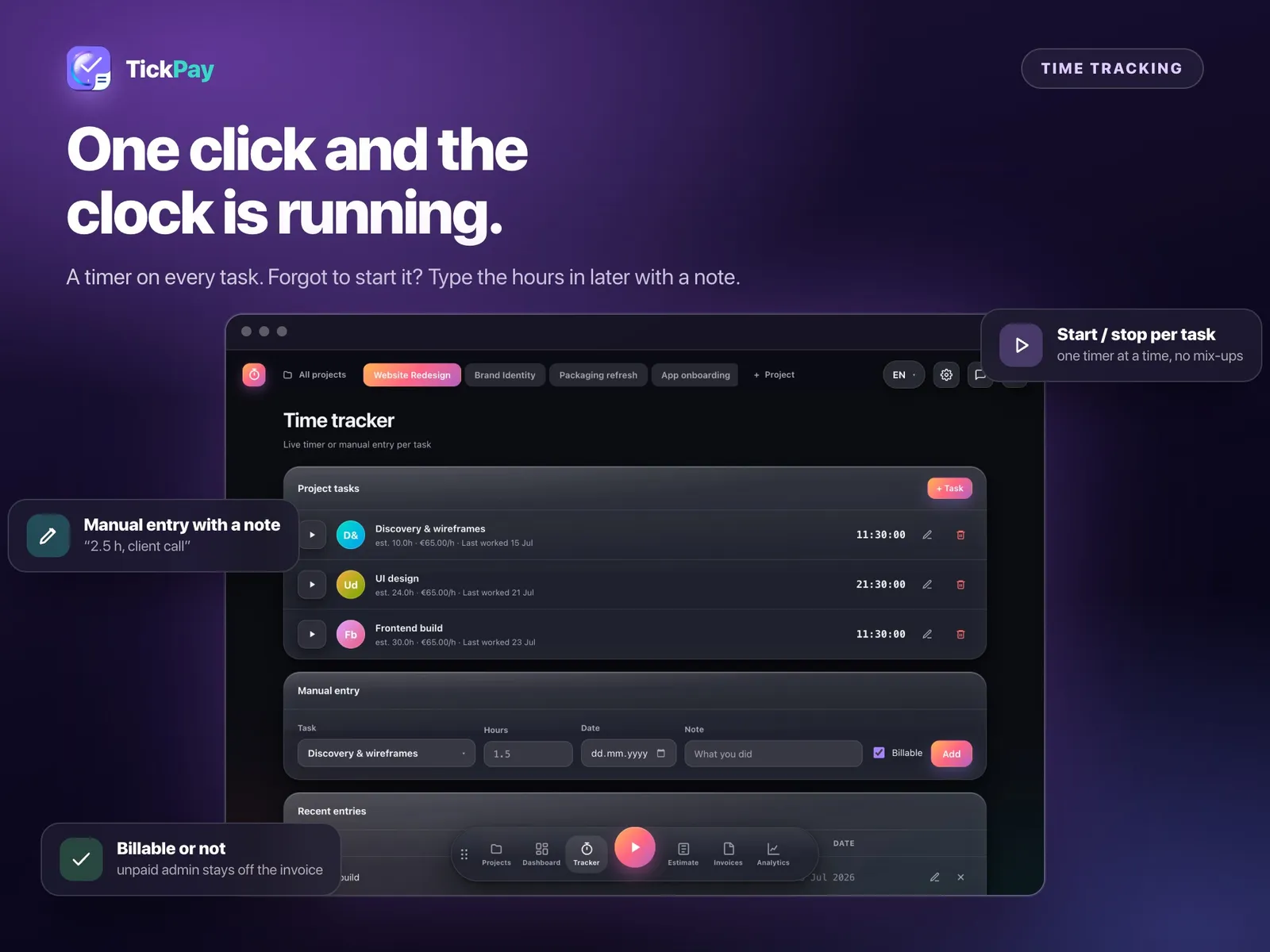
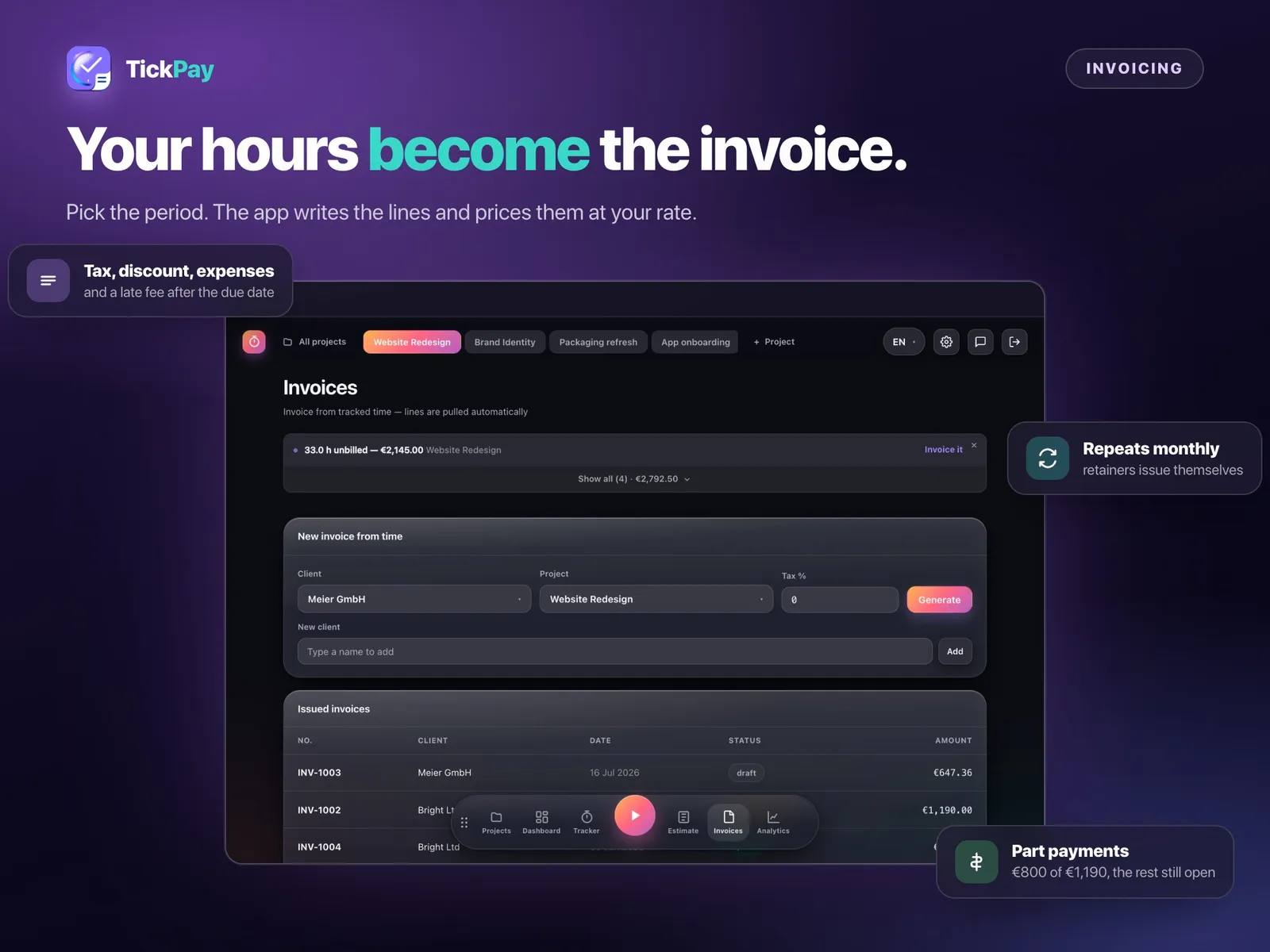
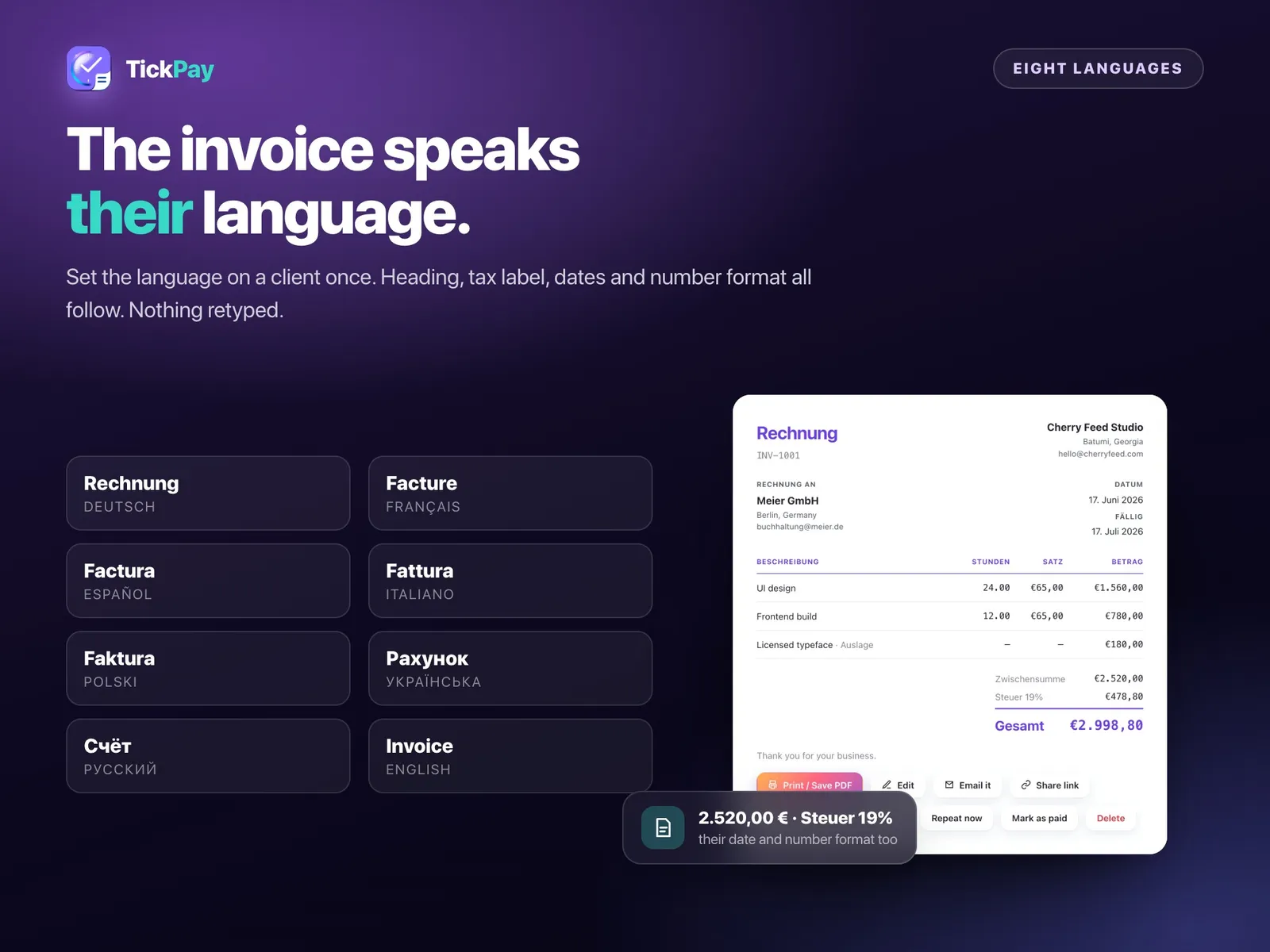
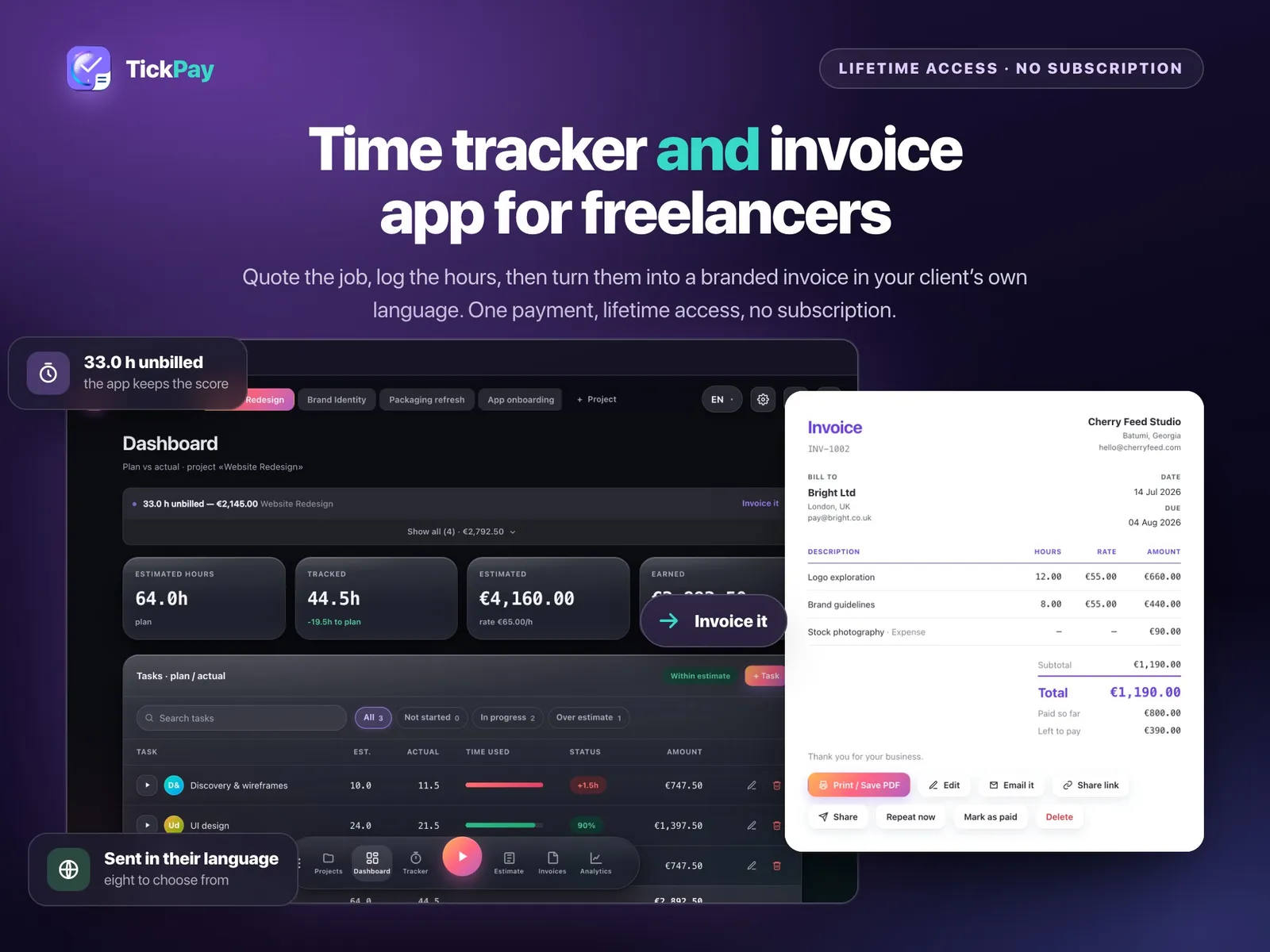
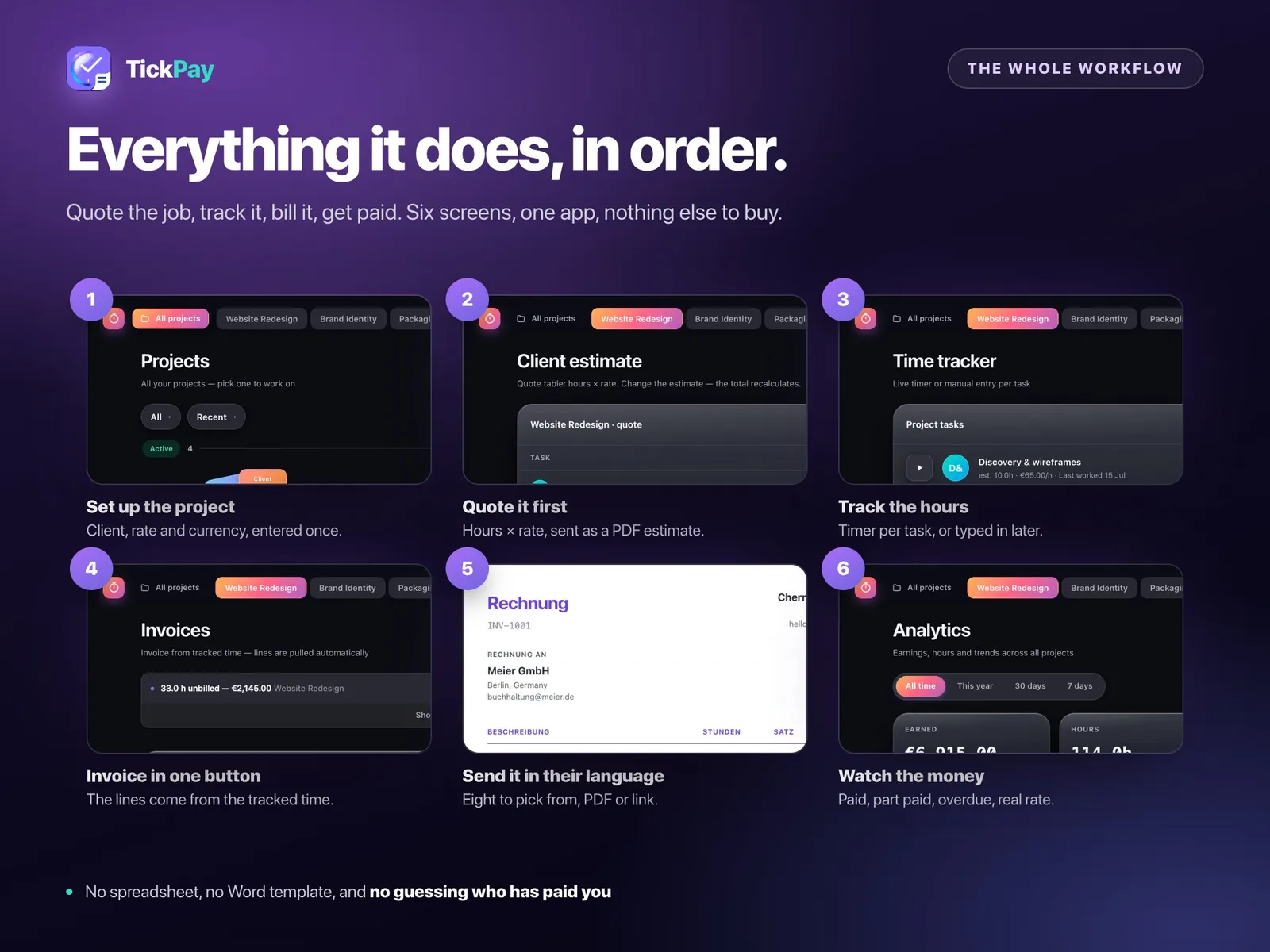
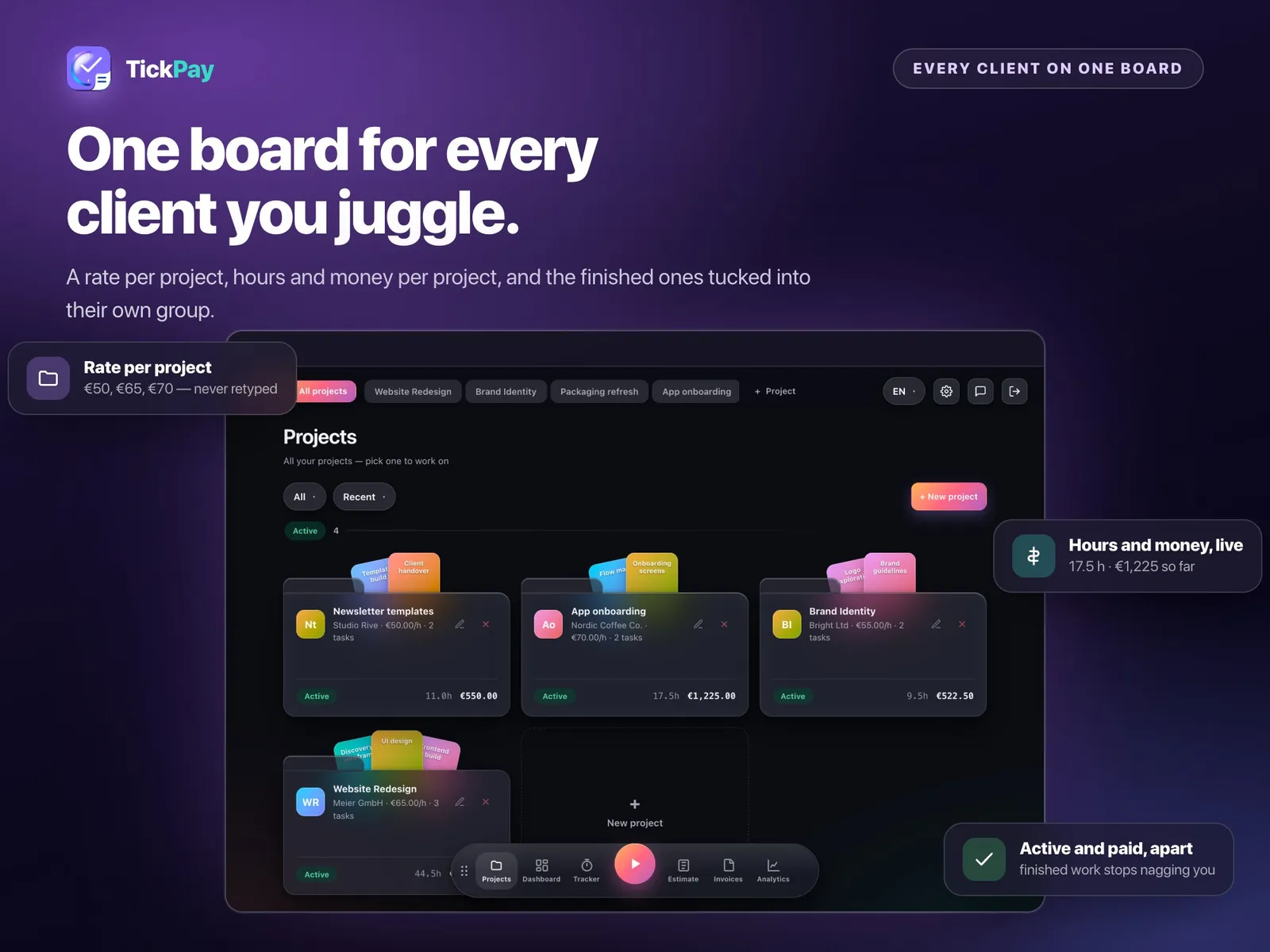
A working app, not a template you fill in by hand. Track hours with a live timer per task — or from any tab with the free Chrome extension — and those hours become the lines on the invoice, priced at the rate you set once. Every client sits on one board with their own rate and currency. Send an estimate, then watch the real hours against it. Add tax, discounts, expenses and a late fee that starts counting after the due date, set invoices to repeat, and record part payments so you always know what is still owed. The document goes out in your client's own language, with the right heading, tax label and number format.
What you get
- A private link to your workspace and a one-page PDF with your access code
- Live timer per task, plus a free Chrome extension that times from any tab
- Clients and projects with their own rates and currencies
- Estimates, invoices, recurring invoices, part payments and late fees
- Invoices in eight languages, with the right tax label and number format
- Earnings by month, your real hourly rate and everything overdue
- Save any document as a PDF or share it as a link
Where it runs
- iPhone & Android
- iPad & Mac
- Windows
- Chrome extension
- Works offline
The details
Everything you get
- A private link to your workspace and a one-page PDF with your access code
- Live timer per task, plus a free Chrome extension that times from any tab
- Clients and projects with their own rates and currencies
- Estimates, invoices, recurring invoices, part payments and late fees
- Invoices in eight languages, with the right tax label and number format
- Earnings by month, your real hourly rate and everything overdue
- Save any document as a PDF or share it as a link
How you set it up
- Buy it — $39 once, no subscription.
- Open the PDF that arrives and click your private link.
- Type the access code with your email and a password, then answer three short questions.
- Add it to your home screen. It opens like any other app, on every device you sign in on.
Where it runs
- iPhone & Android
- iPad & Mac
- Windows
- Chrome extension
- Works offline
Nothing to install and no app store. It keeps working with the internet off once it has loaded, and your account carries the same data between your phone and your laptop.
Instant download, card or PayPal. Faulty or not as described? Refunded.
Buy it on Etsy instead — same shop, same files, sold there as DesyGoods
- Who you pay
- Paddle.com Market Ltd — the seller of record on the invoice, not this studio. Terms
- What arrives
- A link by email the moment the payment clears. Nothing ships, nothing renews, and there is no account to make.
- If it is wrong
- A file that is faulty or not what the page described is refunded. Refund policy
- Who answers
- One designer, at hello@cherryfeed.com. The same sets have sold on Etsy as DesyGoods since 2025.
Licence in one line
One licence covers one business — yours. Use it for as long as you like on as many of your own devices as you like. Do not resell it or pass the file on. Full licence.
A look inside
Every screen
7 of them — swipe, scroll or use the arrows
Free to read
Before you buy anything
- 3 min read
How to price handmade products without working for nothing
Most handmade pricing forgets the hours. Here is the arithmetic that includes them, why doubling your materials cost is not a formula, and what to do when the honest price feels too high. - 2 min read
How to find every subscription you are paying for
The average card is carrying two or three forgotten renewals. How to find them in an afternoon, what to do about the annual ones that hide for eleven months, and how to keep the list true. - 3 min read
What to put in an Airbnb welcome book (and what guests never read)
Guests open a welcome book twice: in the first five minutes and at eleven at night when something has gone wrong. Here is what belongs on those two pages, what to cut, and the wording that stops the same three messages arriving every stay.
Written forInvoicing and money for freelancers →
What buying it means
How it works
- 1
Buy it once
Invoice Generator & Time Tracker is $39 once. No subscription, no commission, and new versions cost nothing.
- 2
Open your link
You get a private link and a one-page PDF with your access code. Setup is three questions, about three minutes.
- 3
Add to your home screen
It opens like any other app — iPhone, Android, iPad, Mac, Windows. Nothing to install, no app store.
Is this the right tool?
For a freelancer who bills by the hour and currently invoices from a duplicated document. Time goes in against a client, expenses attach to it, and the invoice comes out of what is already recorded, with retainers repeating on their own. If your work is fixed-price with no time tracking at all, half of it will sit unused and a simpler invoice template will serve you better.
Your first week with it
Log time daily for the first fortnight, even roughly — the number that changes behaviour is not the invoice total but the hours a client actually costs you against what they pay. Set the retainers up as recurring in week one so the monthly billing stops being a task, and record payments as they land, so the outstanding list stays true enough to chase from.
Questions about Invoice Generator & Time Tracker
Does it track hours as well as invoices?
Time is the front half of it. Log billable hours against a client, then turn a period of them into an invoice without retyping anything.
Can a monthly invoice repeat itself?
Recurring invoices are built in, so a retainer client is set up once and comes round on its own rather than being copied from last month each time.
What about expenses I need to bill back?
Expenses attach to the client and land on the invoice with the hours, so the travel and the software you fronted do not quietly stay yours.
Can I see who still owes me?
Payments are recorded against invoices, so what is outstanding — and how long it has been outstanding — is on the screen rather than in your head.
Is it for freelancers or for a company?
One pair of hands. It suits a freelancer or a one-person studio billing by the hour; a company with a sales team and payroll needs something heavier.
Is there a monthly fee?
No. You pay once and it is yours. No subscription, no commission on your bookings, and new versions cost nothing.
Do I have to install anything?
No. It opens in the browser you already use, and you can add it to your home screen so it opens like any other app — iPhone, Android, iPad, Mac or Windows.
Reviews
What buyers say
Left by buyers of the shop's templates on Etsy. This tool is new here, so it has no reviews of its own yet.
“Wow! These templates are amazing. They helped me improve my clients' Instagram visuals so quickly, and I'm very pleasantly surprised! Thank you”
“very nice, i highly recommend it!”
“TOP! Conceptually strong. Visually unique. Thank you!”
Read every review on EtsyCherry Feed has sold on Etsy as DesyGoods since 2025.
$39once
Get it